 RoomDisk
Your spare disk, from anywhere
RoomDisk Anywhere lets your remembered devices reach the spare disk at home from any network: work, a café, mobile data. Like your own cloud, without uploading anything. $29 a year, including everything in Pro.
Set it up once
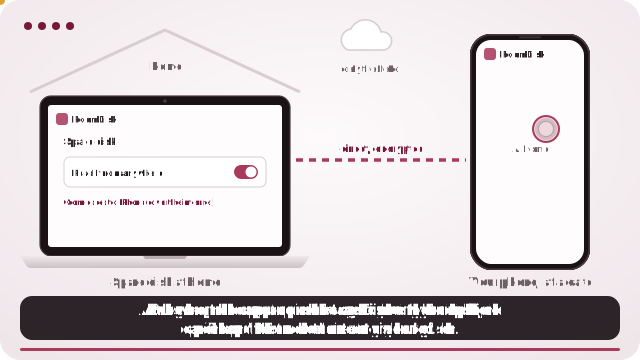
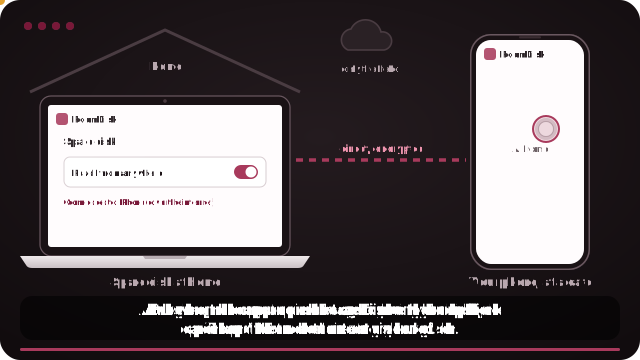
- Pair your phone with the disk once at home, with Remember ticked.
- On the disk, open Settings and turn on Reach from anywhere.
- Away from home, open RoomDisk on the phone, tap Connect under “Away from your spare disk?”.
What you can do from away
- Browse folders and thumbnails
- Stream videos and music from the disk
- Send new photos home as you take them
- Download what you need
What it is, and isn’t
It’s a direct, encrypted connection to your own device, not cloud storage: nothing is stored anywhere else, and only devices you paired in person can connect. The disk at home has to be on, online and showing RoomDisk.
That makes it a private alternative to remote-desktop tools and cloud sync for one job: getting at your own photos and files while you’re out.
If it won’t connect
Most home, office and mobile networks work. A few very strict networks block direct connections; try mobile data on the phone instead. More connection fixes.
Questions
Is this cloud storage?
Does the disk need to be on?
Which devices can connect?
Will it work on every network?
Try it with the two devices you have
Free to start. Nothing to install, no account.