A personal cloud without a subscription
Cloud storage plans are convenient, but the bill never ends and the price can go up. If you already own a spare computer, tablet or phone, it can be your own cloud: your files stay with you, and you reach them from anywhere.
Set it up once
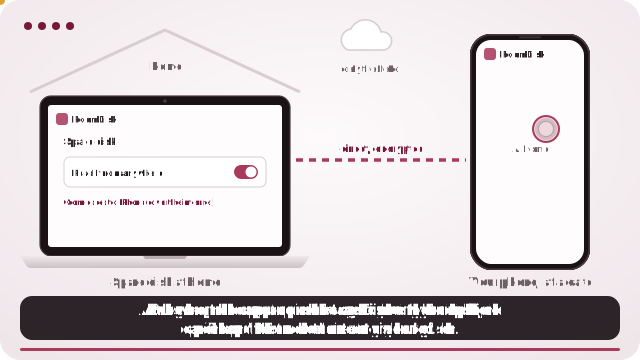
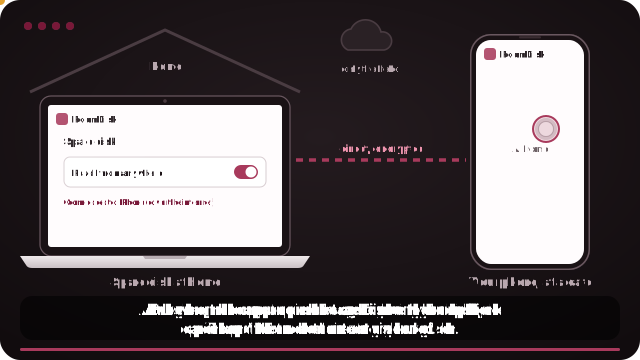
- On the computer, tablet or old phone that will keep your files, open roomdisk.com/app and choose Storage disk.
- Pair your phone once at home: scan the code, show the reply, tick Remember.
- On the disk, open Settings and turn on Reach from anywhere. Keep it plugged in and stop it from sleeping.
- Away from home, open RoomDisk on your phone and tap Connect under “Away from your storage disk?”.
Subscription vs your own device
| Cloud subscription | RoomDisk Anywhere | |
|---|---|---|
| Cost | Every month, for as long as you store | $29 a year, using a device you own |
| Space | What your plan allows | Whatever the device holds |
| Where files live | The provider’s servers | Your device at home |
| Works when your device is off | Yes | No |
| Automatic backup of the phone | Yes | No, you choose what to send |
| Every copy checked | Handled by the service | Yes, on both devices |
Who it suits
- People with a computer or tablet that’s usually on at home.
- Big photo and video libraries that would need a large, costly plan.
- Anyone who’d rather keep their files on their own device.
What to know
- The disk has to be on. It must be online with RoomDisk open. A laptop that sleeps when the lid closes can’t be reached; set it to stay awake while plugged in.
- Your files live in one place. They’re on that device only, not copied to a cloud. Keep a second copy of anything you can’t lose.
- Speed follows your home internet’s upload. Photos and documents are quick; big 4K videos may need to load before they play smoothly.
- Some networks block direct links. Many mobile carriers and some strict office or hotel Wi-Fi don’t allow devices to connect directly. There you still see your folders and small previews; the rest waits for another Wi-Fi. Check your network.
See what a storage plan adds up to over the years
Questions
Is this a backup?
It’s a copy on a device you own. One device is one point of failure, so keep a second copy of anything irreplaceable, for example a second spare disk.
Does it upload my files anywhere?
No. Files go directly between your devices.
Can I try it first?
Yes: connecting is free. Pair your two devices at home to see it works, then choose a plan to send.
Try it with the two devices you have
Pay once, keep it. Nothing to install, no account.