
iCloud storage full? Move old photos out without losing them
When iCloud is full, photos stop uploading and iPhones stop backing up. The usual answer is a bigger plan, every month. The other answer is to move the years of older photos to a device you own, keep the albums and dates, and only then delete them from iCloud. The order matters, because deleting a photo on an iPhone with iCloud Photos also deletes it from iCloud and every other device.
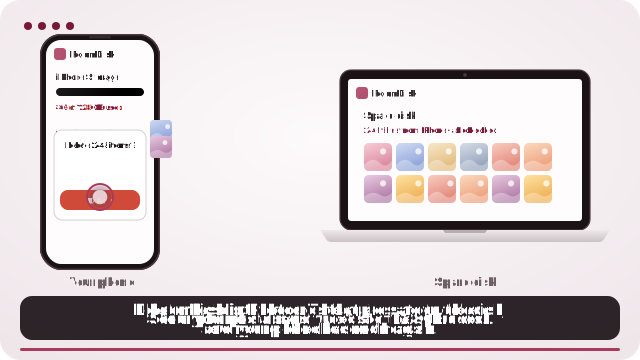

Move older photos out of iCloud, safely
- Choose the device that will keep them: a laptop, desktop or tablet with plenty of free space. Open roomdisk.com/app there and choose Use this device as the spare disk.
- Get the originals out of iCloud: at privacy.apple.com, choose Request a copy of your data and tick iCloud Photos. Apple emails you when the .zip files are ready (it can take several days). For a few hundred photos, downloading them at icloud.com works too.
- In RoomDisk’s Files, tap Bring in photos from Google or iCloud and choose all the .zip files at once. Albums become folders and each photo keeps the date it was taken.
- When the import says every file is in, keep a second copy of anything irreplaceable on another device.
- Delete those older photos from iCloud Photos, then empty Recently Deleted. The space comes back, and you can move to a smaller plan.
First, see what’s using the space
On the iPhone: Settings › your name › iCloud shows what fills it. It’s usually Photos, then device backups, then Messages and iCloud Drive.
- Old device backups: backups of phones and iPads you no longer have can take gigabytes. Delete them under Manage Storage › Backups.
- Messages: years of photos and videos in chats count too.
- Family Sharing: on a shared plan everyone’s photos and backups count toward the same total, so one person’s video library can stop everyone’s backups.
Why not just delete from the iPhone?
With iCloud Photos on, the iPhone, the iPad, the Mac and iCloud are one library. Deleting anywhere deletes everywhere, after 30 days in Recently Deleted. So copy the originals somewhere else first, and check them, before deleting a single photo.
Pay less, or not at all
- Move the archive to a device you own, with the steps above.
- Drop to a smaller plan, or the free 5 GB if only settings and messages are left.
- Keep iCloud for what it does best: backing up app data, settings and messages automatically.
- Reach the archive from anywhere with RoomDisk Anywhere, so old photos are still with you when you’re out.
RoomDisk Pro, which includes the import, is $14.99 once. See what your iCloud plan adds up to over the years.
Prices went up in 2026
In July 2026 Apple raised iCloud+ prices in eight countries (Nigeria, Türkiye, Vietnam, Japan, Egypt, New Zealand, the Philippines and Indonesia), by 11% to 55% depending on the plan; US prices didn’t change. Google raised Google One prices in Algeria, Egypt, Nigeria, Pakistan and Türkiye from July 27, 2026. If your bill went up, moving the photo archive is the biggest saving.
What a device of your own can’t do
- It doesn’t back up your iPhone automatically: you choose what to move.
- It must be on and online to reach it from away.
- One device is one point of failure: keep a second copy of anything irreplaceable.
iCloud, iCloud+ and Google One are trademarks of their owners. RoomDisk isn’t affiliated with them.
Questions
Will deleting photos from my iPhone free up iCloud space?
How long does Apple’s data copy take?
Do I need to unzip the files?
Our family plan is full. Does this help?
Did iCloud prices go up in the US?
Try it with the two devices you have
Pay once, keep it. Nothing to install, no account.