Stream videos from your home computer to your phone
Your videos are on the computer at home and you want to watch one on your phone. RoomDisk plays them straight from the disk: they start at once and you can skip ahead, without downloading the whole file or uploading it to a cloud.
How to watch
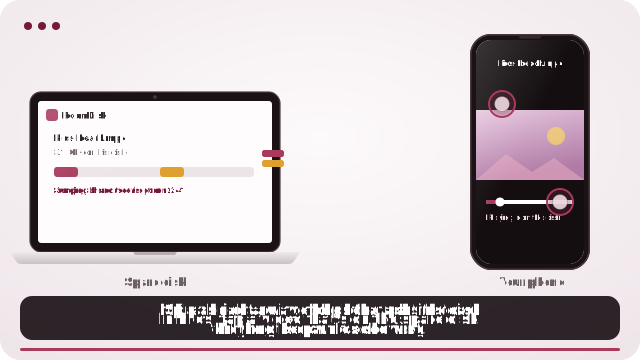
- Keep your videos on the RoomDisk disk (send them to it, or choose the folder they’re in when you set the disk up).
- On your phone, open Files and tap a video. It plays and you can skip around straight away.
- Away from home, connect with RoomDisk Anywhere first.
At home vs away
- On the same Wi-Fi, playback is smooth, including 4K.
- Away from home, it depends on your home internet’s upload speed. Typical phone videos play well on most connections; very high-quality 4K clips may pause to load, so download those first or watch them at home.
Originals, not copies
RoomDisk plays your original file exactly as it is: nothing is converted or shrunk. That’s why quality is perfect, and also why the biggest files need the most bandwidth.
What to know
- The disk has to be on. It must be online with RoomDisk open. A laptop that sleeps when the lid closes can’t be reached; set it to stay awake while plugged in.
- Your files live in one place. They’re on that device only, not copied to a cloud. Keep a second copy of anything you can’t lose.
- Speed follows your home internet’s upload. Photos and documents are quick; big 4K videos may need to load before they play smoothly.
- Some networks block direct links. Many mobile carriers and some strict office or hotel Wi-Fi don’t allow devices to connect directly. There you still see your folders and small previews; the rest waits for another Wi-Fi. Check your network.
Questions
Does it convert or compress my videos?
No. It plays the original file.
Can I skip ahead?
Yes. Only the part you’re watching is fetched, so jumping to a later point is quick.
Which formats play?
Whatever your phone’s browser can play, usually MP4 and MOV (H.264 or HEVC). Others can be saved and opened in another app.
Try it with the two devices you have
Pay once, keep it. Nothing to install, no account.