
Google Photos alternatives: where to keep your photos instead
Google accounts come with 15 GB of free storage, shared by Google Photos, Gmail and Drive. When it’s full, new photos stop backing up unless you pay every month. The alternatives come down to one choice: rent space on someone else’s computers, or keep your photos on a device you own.
The short answer
- Want it all automatic and don’t mind a monthly fee: stay with Google Photos and pay for more space, or use iCloud Photos if everything you own is Apple.
- Already pay for Amazon Prime: Amazon Photos includes full-resolution photo storage; videos have a small allowance.
- Want cloud backup only you can read: Ente encrypts photos before they leave your phone. It’s a subscription.
- Comfortable running a home server: Immich is free software that feels like Google Photos, on a computer you set up and look after.
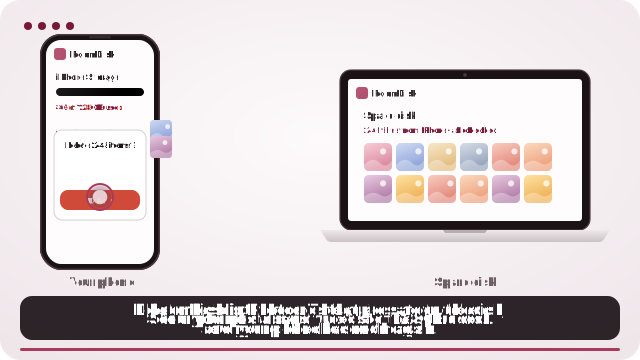
- Want no subscription and nothing to set up: RoomDisk keeps your photos on an old phone, tablet or laptop you already own. $14.99 once.
Side by side
| Where photos live | Cost | Backs up by itself | Set-up | |
|---|---|---|---|---|
| Google Photos | Google’s servers | 15 GB free (shared with Gmail and Drive), then monthly | Yes | None |
| iCloud Photos | Apple’s servers | 5 GB free, then monthly | Yes, on Apple devices | None |
| Amazon Photos | Amazon’s servers | Included with Prime for photos; 5 GB of video, then monthly | Yes | None |
| Ente | Ente’s servers, encrypted | Free to start, then monthly or yearly | Yes | None |
| Immich | A computer or server you run | Free software; you provide the hardware | Yes | Technical: you install and secure it |
| RoomDisk | A phone, tablet or computer you own | $14.99 once | No: you choose what to send | Open a web page on two devices |
Prices and allowances change, and some differ by country. Check each service’s own page before you decide. Checked in October 2026.
What you give up by leaving Google Photos
- Search by faces, places and things. Google’s search is very good. Immich comes close; RoomDisk sorts by folders and dates instead.
- Automatic backup in the background. With RoomDisk you send photos when you choose, for example once a week or when the phone fills up.
- Photos on every device, everywhere. RoomDisk keeps them at home; Anywhere lets your own devices reach them when you’re out.
Why people pick a device they own
- No bill that grows with your library. The space is yours: a 256 GB tablet holds about 50,000 photos.
- Originals, unchanged, with every copy checked on both devices.
- Nobody else has them. They go straight from your phone to your device and nowhere else.
- Works between Android and iPhone, Windows and Mac, in the browser.
Moving out of Google Photos
Download everything with Google Takeout, then bring the .zip files into RoomDisk: albums and the date each photo was taken come back as they were. Step-by-step: move Google Photos to your own drive.
Careful when deleting: in the Google Photos app, deleting a backed-up photo removes it from your account and every synced device. Copy and check first. To clear space on the phone only, use Google Photos’ “Free up space”.
Many people don’t leave completely: they keep Google Photos for this year’s pictures and move the big archive of older photos and videos to a spare device, then drop to a smaller plan.
Google Photos, Gmail, iCloud, Amazon Photos, Ente and Immich are trademarks of their owners. RoomDisk isn’t affiliated with them.
Questions
What’s the cheapest Google Photos alternative?
Can I use Google Photos and RoomDisk together?
Will I lose albums and dates when I leave?
Is a device at home safe enough?
Try it with the two devices you have
Pay once, keep it. Nothing to install, no account.