
iCloud price increase: what changed, and how to pay for less
In July 2026 Apple raised iCloud+ prices in eight countries: Nigeria, Türkiye, Vietnam, Japan, Egypt, New Zealand, the Philippines and Indonesia, by 11% to 55% depending on the plan (MacRumors). It isn’t the first time: Apple raised prices in the UK and other countries in 2023 too. If your photo library is what keeps you on a bigger plan, you have choices.
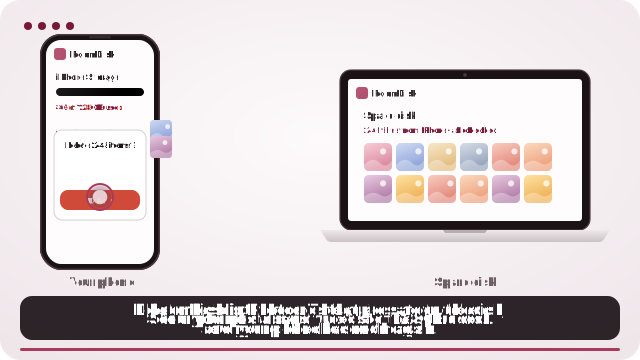
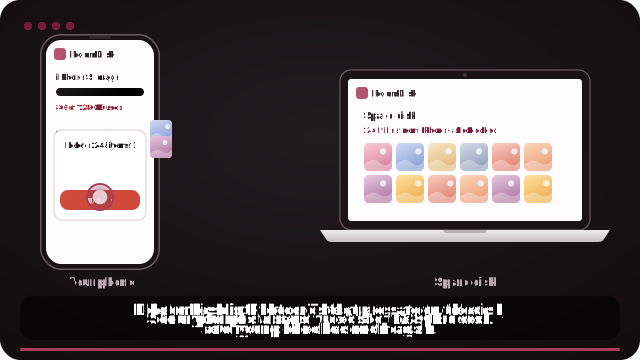
Move your photo library to a device you own
- On a laptop, desktop or tablet with space, open roomdisk.com/app and choose The storage disk.
- Photos on your iPhone: pair the iPhone and send them; the phone says which are safe to delete.
- Photos only in iCloud: request a copy at privacy.apple.com (choose iCloud Photos), then open the ☰ menu › Bring in photos on the disk and choose the .zip files.
- Once every file is in and checked, delete the old years from iCloud Photos and move to a smaller plan.
What changed in July 2026
- Countries: Nigeria, Türkiye, Vietnam, Japan, Egypt, New Zealand, the Philippines and Indonesia.
- How much: between 11% and 55%, depending on country and plan. The biggest examples: Nigeria’s 50 GB plan went from ₦900 to ₦1,300 a month, Türkiye’s from 39.99 TL to 49.99 TL.
- Why: Apple didn’t give a reason; the countries affected match currency changes (MacRumors points to the weaker yen and the Turkish lira).
- United States: no change. Prices elsewhere didn’t change either.
Apple lists every country’s current price on its iCloud+ plans and pricing page.
What iCloud+ costs in the US
| Plan | Per month | Per year | Over 5 years |
|---|---|---|---|
| 50 GB | $0.99 | $11.88 | $59.40 |
| 200 GB | $2.99 | $35.88 | $179.40 |
| 2 TB | $9.99 | $119.88 | $599.40 |
| 6 TB | $29.99 | $359.88 | $1,799.40 |
| 12 TB | $59.99 | $719.88 | $3,599.40 |
US prices before any state tax. Try your own plan and years in the calculator.
Four ways to pay for less
1. Check what’s really using it
Settings › [your name] › iCloud shows the breakdown. Photos is usually most of it; old device backups (from phones you no longer have) are often next and can simply be deleted under Manage Storage › Backups.
2. Share one plan with your family
Plans of 200 GB and up can be shared with up to five family members through Family Sharing, instead of each person paying for their own.
3. Keep recent photos in iCloud, older years on your own device
Most people open last year’s photos far more than the ones from 2018. Move the older years to a laptop, tablet or old phone you own, and a 50 GB or 200 GB plan is enough for settings, messages and recent photos.
4. Leave iCloud Photos altogether
Turn off iCloud Photos and keep the library on your own devices, with a second copy for safety. You lose automatic sync between your Apple devices, so this suits people who mostly take photos on one phone.
Moving photos out of iCloud without losing them
The order matters: with iCloud Photos on, deleting a photo on any device deletes it from iCloud and everywhere else. So copy first, check, and only then delete.
- Photos still on your iPhone: send them to your storage disk over Wi-Fi. Every one is checked on both devices.
- Photos only in iCloud: Apple’s data copy (privacy.apple.com) gives you every original as .zip files. RoomDisk reads them as they are and keeps albums and the date each photo was taken.
- Then delete the moved years from iCloud Photos and downgrade your plan in Settings.
RoomDisk Pro is one payment ($14.99) and doesn’t change with exchange rates after you’ve bought it. To reach your library from outside the home, RoomDisk Anywhere is $29 a year.
Keep two copies of anything irreplaceable: one device can fail. A second spare device at home, or a locked copy at a relative’s home, covers that.
Apple and iCloud are trademarks of their owners. RoomDisk isn’t affiliated with them.
Worked example: a 200 GB plan, five years
| Stay on 200 GB | Drop to 50 GB, library on your own device | |
|---|---|---|
| iCloud | $179.40 | $59.40 |
| RoomDisk Pro | – | $14.99 |
| Over 5 years | $179.40 | about $74 |
US prices; in the countries where prices rose in 2026, the gap is wider. The device you keep photos on is one you already own.
Before you downgrade: a checklist
- The photos you’re moving are on your own device, and checked.
- A second copy of anything irreplaceable exists (another device, or a relative’s home).
- Old phone backups you no longer need are deleted.
- Your remaining iCloud usage fits comfortably in the smaller plan, with room for new photos.
- Family members on your plan know the size is changing.
Leaving iCloud Photos completely?
Turn it off on each device and choose Download Photos & Videos on one with enough space, so you have every original first. Or request the full copy at privacy.apple.com. Then keep the library on your own device, and re-check it once a year.
Questions
Did iCloud prices go up in 2026?
How much is iCloud+ in the US?
How do I reduce my iCloud storage plan?
Will my photos be deleted if I downgrade?
Is there an iCloud alternative without a subscription?
Try it with the two devices you have
Pay once, keep it. Nothing to install, no account.