
How to delete photos from your iPhone and still keep them
It’s one of the most asked questions on Apple’s own forums: “my iPhone is full, how do I delete photos but keep them?” The trap is that iCloud Photos isn’t storage somewhere else, it’s sync. With it on, deleting a photo on your iPhone deletes it from iCloud and every other device too. So keeping photos means copying them somewhere that doesn’t sync deletions, checking the copy, and only then deleting.
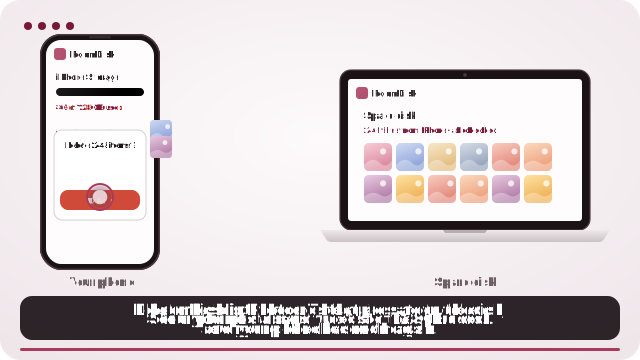
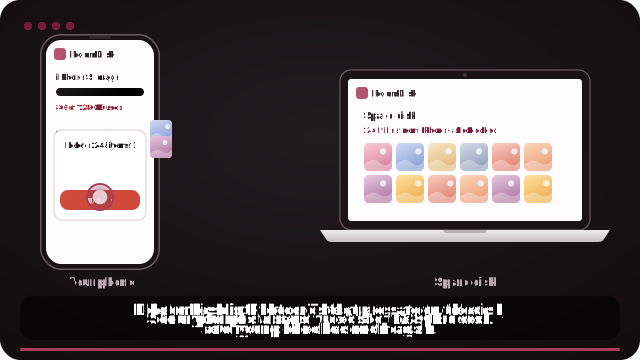
The safe way, with a device you already own
- Open roomdisk.com/app on the device that will keep the files and tap The storage disk. It shows a QR code.
- On the phone or computer with the files, scan that code. A phone’s Camera app works: tap the roomdisk.com link that pops up. RoomDisk opens and shows its own code.
- On the storage disk, tap Scan reply and hold the phone’s screen up to its camera. (No camera there? Tap the share button on the phone and open the link on the disk device, or use Paste code.)
- The first time, the disk asks Allow this phone? Both screens show the same 4-digit number: if they match, tap Allow. Then both say Connected: choose files and send. Each file is checked when it lands.
- When the phone says safe to delete, open a few photos and play a video on the disk under Files.
- Delete those photos in the Photos app, then empty Recently Deleted to get the space back.
First: what deleting really does on your iPhone
Settings › [your name] › iCloud › Photos tells you which situation you’re in. It changes everything about what “delete” means.
| Your setting | Delete a photo on the iPhone… | Safe to delete after copying? |
|---|---|---|
| iCloud Photos on | It goes from the iPhone, from iCloud and from your other Apple devices (after 30 days in Recently Deleted). | Only once the copy is somewhere outside iCloud and checked. |
| iCloud Photos on, with “Optimize iPhone Storage” | Same as above. The phone may hold only a small preview, so the original has to download before anything can copy it. | Only after copying the full-size originals. |
| iCloud Photos off | It goes from this iPhone only. If the photo isn’t anywhere else, it’s gone after 30 days. | Only once the copy is checked. |
“Recently Deleted” keeps deleted photos for 30 days and they still use space until you empty it. That’s your safety net, so empty it only after you’ve checked your copies.
The safe order, whatever you use
- Copy the photos to something that doesn’t sync deletions: a computer, a drive, or another device you own.
- Check the copy: the number of items matches, a few photos open, a long video plays to the end.
- Delete on the iPhone.
- Empty Recently Deleted when you’re sure, to free the space.
Most lost-photo stories skip step 2. A transfer that “finished” can still have missed the newest videos, or copied previews instead of originals.
Way 1: a computer with a cable
- Mac: connect the iPhone, open Photos (or Image Capture), choose a destination folder and import. Leave “Delete after import” off until you’ve checked the copies.
- Windows: connect, unlock the iPhone and tap Trust, then open the Photos app › Import. If HEIC photos won’t open afterwards, see HEIC photos won’t open on Windows.
With “Optimize iPhone Storage” on, the import can only take originals the phone has, so it may stall or skip items. Connect to Wi-Fi and give it time, or turn on “Download and Keep Originals” first if you have the space.
Way 2: an external drive or flash drive on the iPhone
Since iOS 13 the Files app works with drives. Select photos in Photos › Share › Save to Files › pick the drive. It works, but check the drive’s format first (exFAT is the safe choice) and don’t unplug it while copying. The full guide, with the pitfalls.
Way 3: another device you own, over Wi-Fi
An old phone, a tablet or a laptop can hold the photos instead. RoomDisk sends them straight to it over your Wi-Fi, checks every file on both devices, and tells you which are safe to delete, so step 2 is done for you. No cable, no account, $14.99 once.
On iPhone, for exact originals, tap Options in the photo picker and choose Current, or pick from the Files app. Otherwise iPhone may hand over converted copies (JPEG instead of HEIC).
Way 4: keep them in iCloud, but not on this iPhone
If you pay for iCloud and simply want the space back on the phone, there are two honest options:
- Optimize iPhone Storage (Settings › Photos): the iPhone keeps small versions and downloads originals when you open them. The photos stay in iCloud and on the phone as previews.
- Turn off iCloud Photos on this iPhone and choose Remove from iPhone. The library stays in iCloud (you see it at icloud.com and on other devices), and the photos leave this phone. Deleting things on the iPhone afterwards no longer touches iCloud. If you later turn iCloud Photos back on, the iPhone downloads the library again.
Don’t turn iCloud Photos off and on to “trick” it into keeping deleted photos. A deletion that happens while it’s on is synced, and that’s how people lose albums.
Before you delete: a two-minute check
- Compare counts: Photos shows the number of photos and videos at the bottom of the library; your copy should hold at least that many files (Live Photos can be two files each).
- Open three photos from different years, and one video from the end of the list.
- Check the newest items arrived: they’re the ones most often missed.
- Keep a second copy of anything irreplaceable. How to know your photos are really backed up.
When something goes wrong
“I deleted photos and they vanished from iCloud too”
Open Photos › Albums › Recently Deleted on any device signed in to the same Apple Account, select them and tap Recover. They come back everywhere. Items stay there for 30 days, then they’re gone for good.
“The copy has fewer photos than my library”
Usually the newest items (still uploading), items only in iCloud (with Optimize iPhone Storage), or shared-album photos, which aren’t part of your library. Copy again: tools that skip what’s already there make a second pass quick.
“Videos copied but won’t play”
A video that stops early was cut off while copying. Copy it again and play it to the end before deleting. On Windows, iPhone videos may need the HEVC extension.
Questions
If I delete a photo on my iPhone, is it deleted from iCloud?
How do I delete photos from my iPhone but not from iCloud?
Does deleting photos free space straight away?
How do I know the copy is complete before deleting?
Will I lose quality if I move photos off the iPhone?
Try it with the two devices you have
Pay once, keep it. Nothing to install, no account.